

AI assistants like ChatGPT and Claude are genuinely useful for budgeting — for organizing information, explaining terms, and running "what-if" math you can check yourself. They're not useful for anything that requires knowing your actual account balances, current tax rules, or guaranteeing that a number is correct without you checking it.
- AI assistants are strong at organizing, explaining, and drafting — turning a messy list of bills into a clean table, or explaining what a APR means.
- They are weak at facts they weren't given — they don't know your real balances, and they can produce believable-sounding but wrong numbers or outdated figures.
- Never paste account numbers, passwords, or your Social Security number into any AI chat.
- There's a real difference between pasting data once into a conversation and linking an account or app so an assistant can keep reading your figures.
- Anything an AI assistant produces about your money is a draft to check, not financial advice.
What AI assistants are actually good at for budgeting
Think of a general AI assistant as a fast, tireless intern who is great with words and organization but has no memory of your actual finances unless you tell it. That framing covers most of what it's good — and not good — for.
- Explaining terms in plain language. Ask it to define an escrow account or the difference between a credit utilization ratio and a credit limit, and it can generally give a clear, accurate explanation of the concept itself.
- Organizing a list of bills you type in. Give it your due dates, amounts, and minimums, and ask it to sort them by due date or by size — this kind of formatting and sorting task is exactly what it's built for.
- Drafting a spending plan from numbers you supply. If you give it your take-home pay and your fixed bills, it can draft a category breakdown for you to adjust — similar to the manual exercise described in the CFPB's budgeting guidance, which centers on tracking real income and spending first.
- Running "what-if" arithmetic you can verify. "If I paid an extra $50 a month toward this balance, roughly how many fewer months would it take?" is a reasonable question to model — as long as you re-check the output with your own calculator before relying on it.
- Drafting a call script or email. Asking a provider to lower a rate, waive a fee, or set up a payment plan is easier with a script — an assistant can draft polished, calm wording for you to edit and use in your own words.

Example prompts you can copy
These are starting points — the more specific and complete the numbers you give, the more useful the draft comes back.
Organizing debts into a payoff order (avalanche vs. snowball):
Here are my monthly bills with balance, minimum payment, and interest rate:
- Card A: $2,400 balance, $65 minimum, 24% APR
- Card B: $900 balance, $35 minimum, 19% APR
- Car loan: $8,000 balance, $210 minimum, 6% APR

List these in order from highest interest rate to lowest, and separately
from smallest balance to largest, so I can compare the avalanche and
snowball approaches.
Drafting a spending plan from real numbers:
My take-home pay is $3,600/month. Fixed bills total $2,100/month
(rent, utilities, phone, insurance, minimum debt payments — I'll list
them). Draft a simple monthly spending plan with categories for the
remaining amount, using a needs/wants/savings split as a starting
point, and show the math so I can check it.
Checking "what-if" arithmetic:
If I put an extra $75 a month toward a $3,000 balance at 22% APR,
roughly how many fewer months would it take to pay off compared to
the minimum payment of $90/month? Show your calculation step by step
so I can verify it.
For reference, with fixed payments and no new charges, that's roughly 52 months at $90 versus 23 months at $165 — and about $1,000 less interest. Having a known answer like this is a quick way to see whether an assistant's math holds up.
Drafting a call script:
Draft a short, polite phone script asking my credit card company to
lower my APR, given that I've had the card for 4 years and always
paid on time. Include a line asking about a hardship or payment plan
if they say no.
Watch out
Always treat the output as a first draft. Re-run any total on your own, and confirm any rate, fee, or tax figure against your actual statement or a current official source before acting on it.
What AI assistants are bad at
The failure mode isn't that the assistant is careless — it's that it's built to produce fluent, plausible text, and fluent text isn't the same as correct numbers.
- Making up numbers. If you ask a general question without giving your real figures, an assistant may fill in plausible-sounding but invented numbers rather than say "I don't know." Always supply your own data rather than asking it to guess.
- Stale tax or benefit figures. Contribution limits, tax brackets, and program rules change over time, and an assistant's training data has a cutoff — a specific dollar figure it states with confidence may be outdated. General tax and legal specifics are worth confirming with a current official source or a licensed professional.
- Arithmetic slips. Multi-step math, compounding, or long division can go wrong, especially with larger numbers or many steps. Asking it to "show your work" makes errors easier to spot, but doesn't eliminate them. Many assistants can also run actual code — asking it to "calculate this with code" tends to be more reliable than math written out as text.
- Not knowing your real balances. Unless you type in your numbers or link an account (more below), the assistant has no idea what's actually in your accounts. And an answer is only as current as the numbers behind it — last month's pasted balance is last month's.
- Confident tone regardless of accuracy. A wrong answer can sound exactly as certain as a right one. That confidence isn't a signal of correctness.
Keeping it private: what to paste and what to avoid
A good habit: paste the numbers you need help with, not the identifiers that could let someone impersonate you or drain an account.
Generally avoid pasting:
- Full account or routing numbers
- Passwords, PINs, or security question answers
- Your Social Security number
- Full statements with your name, address, and account number all together — round or redact instead
- Screenshots and PDFs of statements or paystubs — an image carries the same identifiers as the text, and they're easy to miss
Generally fine to paste:
- Rounded balances and rates ("about $2,400 at 24%")
- Category totals from your own tracking ("$450 on groceries last month")
- Bill due dates and minimum payments, without the account number attached
It's also worth checking the assistant's own privacy and data settings — most mainstream AI assistants offer some control over whether your conversations are used to improve the underlying model and whether chat history is retained. A few things those settings don't always make obvious:
- Opting out of training isn't the same as deletion. Providers may keep conversations for a period for safety or legal reasons; each one's privacy policy says how long.
- Shared chat links can be read by anyone who has the link. Sharing a budgeting conversation shares the numbers in it.
- Add-ons have their own rules. Custom assistants, plugins, and third-party connectors can send what you type to another company with its own privacy policy.
Pasting data vs. using a connector
These are two very different levels of access, and it's worth knowing which one you're using.
- Pasting into a chat is a one-time, manual copy of exactly what you type. Nothing updates automatically, and the assistant only ever sees what you gave it in that conversation.
- A connector is a more ongoing arrangement: you specifically authorize an assistant or app to read certain data — say, balances or transactions — directly from another app you use, rather than typing it in each time.
- Direct bank linking is now offered by some assistants too. ChatGPT, for example, began offering optional US bank-account linking to paid subscribers in May 2026, through a financial data aggregator — the same plumbing many budgeting apps use (OpenAI; TechCrunch, 2026). The trade-offs are covered in is it safe to link your bank to a budget app.
When a connector is involved, a few general things are worth checking before turning it on:
- Is access read-only? A connector that can only view data is a different risk than one that can also move money or make changes.
- Is it scoped narrowly? Access to just the accounts or categories you need is preferable to blanket access to everything in an app.
- Can you revoke it easily? A well-built connection lets you find and turn it off yourself, at any time, from your account settings — and says what happens to the data already synced.
Task-by-task: where AI fits and where it doesn't
| Task | Fit |
|---|---|
| Explaining a financial term or concept | Good fit |
| Sorting/organizing a list of bills you provide | Good fit |
| Drafting a spending-plan outline from your real numbers | Good fit |
| Drafting a call/email script to a lender or provider | Good fit |
| "What-if" payoff or savings math you'll verify yourself | Use with care |
| Estimating a specific tax figure or credit amount | Use with care |
| Summarizing a pasted (redacted) statement into categories | Use with care |
| Trusting it for a balance you didn't give it or link | Avoid |
| Confirming this year's exact tax bracket or contribution limit | Avoid |
| Making a final decision about debt, investing, or taxes without checking | Avoid |
Key point
AI output is not financial, tax, or legal advice. Treat it as a starting draft — check the arithmetic, confirm any rate or rule against a current source, and involve a qualified professional for decisions that matter.
A worked example
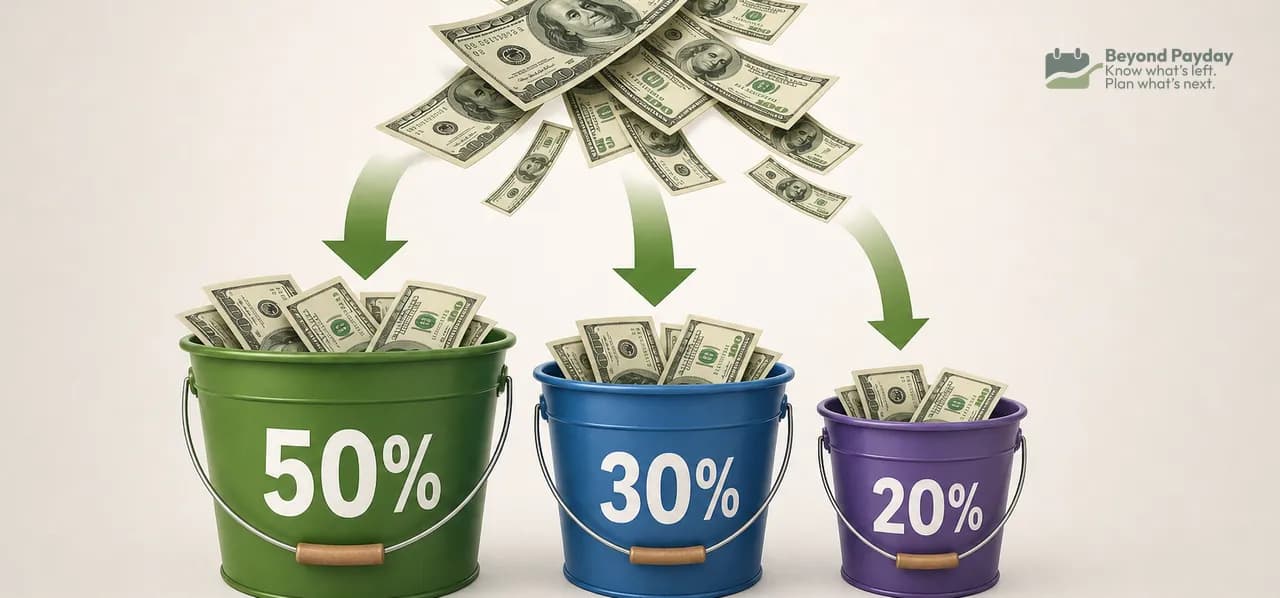
Suppose someone gives an AI assistant these numbers: take-home pay of $4,000/month, fixed bills of $2,300/month, and asks for a spending plan using a rough needs/wants/savings-and-debt split like the one described in the CFPB's spending rule worksheet.
- Needs (about 50%): $2,000 — but the fixed bills alone are $2,300, or about 58% of take-home. Needs are already $300 over the guideline in this example.
- Wants (about 30%): $1,200
- Savings/debt (about 20%): $800
A good assistant should flag that the split doesn't fit instead of quietly printing $2,000. One realistic draft keeps needs at $2,300 and splits the remaining $1,700 between wants and savings/debt — for example, $1,000 and $700. Catching that mismatch is exactly the kind of check that stays with you.
The 50/30/20 split is one common guideline, and the CFPB's own worksheet frames it as a starting point to adapt. An assistant can draft this kind of breakdown quickly; whether the categories and amounts fit a real budget is something to check against actual bills and priorities, using the kind of cash-flow tracking described in the CFPB's Your Money, Your Goals toolkit.
Pasting numbers by hand works, but it means rebuilding your picture every conversation — and every answer is only as current as the last thing you typed.
FAQ
Can ChatGPT or Claude see my bank account?
Only if you give it access. By default an assistant only knows what you type, but some now offer optional bank-account linking through a data aggregator, and connectors to other apps that you authorize and can revoke.
Is it safe to paste my bank statement into an AI chat?
It's generally safer to paste rounded totals or categories rather than full statements, and to avoid account numbers, logins, and Social Security numbers regardless of which assistant you use.
Can AI assistants give me tax advice for my budget?
They can explain how a tax concept generally works, but tax rules and figures change and an assistant's training data can be out of date, so specific numbers are worth checking against a current official source or a tax professional.
Why did the AI's math not match my calculator?
Language models generate text by predicting likely word and number patterns rather than always running a calculation, so arithmetic errors can happen. Asking it to calculate with code, and double-checking any total that matters, catches most of them.
What's the difference between pasting numbers into a chat and using a connector?
Pasting is a one-time, manual copy of whatever you type. A connector or linked account is an ongoing, permissioned link that lets an assistant keep reading data from an app or bank you've authorized, ideally with read-only access you can turn off.
Related reading

How to make a budget that actually works
A budget only works if it matches your real income, splits fixed from variable costs, and runs on autopilot. Here's the step-by-step process.

Where does your money go? How to track your spending
You can't fix a budget you can't see. Here's how to track spending manually or automatically, sort it into categories that mean something, and actually use the review.
The 50/30/20 budget rule, explained
The 50/30/20 rule splits your take-home pay into needs, wants, and savings. Here's exactly how the math works, a full example, and where the rule breaks down.
Beyond Payday is a planning tool, not a financial advisor. This article is educational — projections and examples are estimates, not financial, tax, or investment advice.